
Lowe's
Lowe's Companies, Inc.Shopping
4.741.43K Reviews
- Version
- 26.10.7
- Installs
- 10.00M
- Age Rating
- Everyone
Screenshots
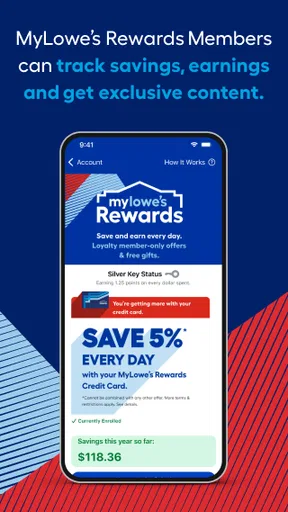
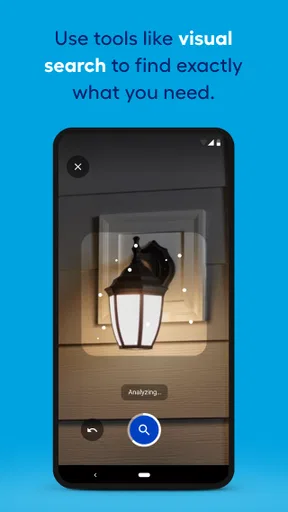
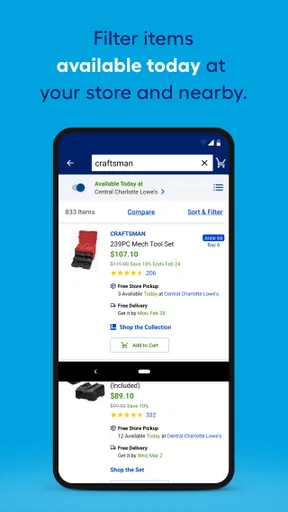
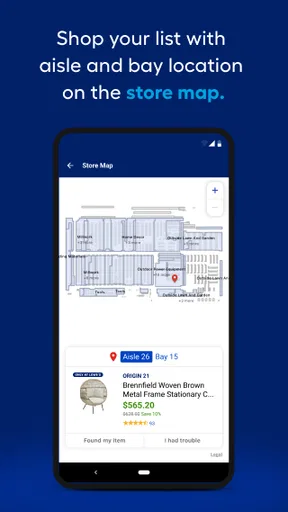
Our Review of Lowe's
 Analysis by Appyee
I started using Lowe's as a practical companion for home-improvement errands rather than as an app I would browse for fun. That distinction matters. Its value appears when I am standing in a room with a half-finished project, trying to remember which supplies I need, or when someone else in the household asks me to pick up a replacement part on the way home. As a free shopping app from Lowe's Companies, Inc., it puts a large home-improvement retailer in a more convenient format, but it does not remove the need to think carefully about measurements, compatibility, and project planning.
In my experience, the best reason to install it is simple: it can make a store visit more organized. The app is aimed at everyone, and its long presence on mobile—released on May 3, 2012—shows that it is built around an established shopping use case rather than a novelty. The current version is 26.8.1, and the app has reached over ten million installs with a 4.7 average from roughly 337 thousand ratings. Those figures suggest that many people find it useful, although popularity should not be confused with a guarantee that every local product search or pickup experience will be equally smooth.
How Lowe's fits into a shared household routine
When several people share repair and improvement errands, I find Lowe’s most useful as a common reference point rather than a household task manager. Before anyone heads out, agree on who is choosing the product and who can approve a substitute; that small decision prevents a rushed guess at the shelf. It also sets up a practical next step: making the shopping handoff clear enough that the right item reaches the project.
A realistic weekend repair scenario
Imagine a Saturday morning when a kitchen drawer stops closing properly. One person measures the damaged slide, another searches for a replacement, and a third may already be heading toward the store. This is where I find the app more useful than a casual visit to a retailer’s website. I can use it to investigate likely replacement parts, compare product details, and keep the task focused while the rest of the household continues with breakfast or other chores.
The important habit is to treat the app as a coordination tool, not as a substitute for inspection. Before searching, I would photograph the old part, note its length, and write down the cabinet opening. Then I would use the app to narrow the possibilities. That workflow reduces the common mistake of searching by a vague phrase such as “drawer hardware” and choosing the first attractive result. For home repairs, the wrong item can waste more time than the original problem.
It also works well for smaller shared errands. If a roommate needs a particular light bulb or a family member wants paint supplies, the person at home can send the exact product name or details to the person shopping. I would still confirm the finish, size, and intended use before buying. A product page can help organize the decision, but the household should agree on what matters most: matching an existing item, staying within a budget, or finishing the job quickly.
What it does better than an ordinary store visit
Compared with walking into Lowe’s without preparation, the app gives me a chance to build a clearer plan before leaving. That is especially valuable in a large home-improvement store, where a quick trip can easily turn into a long search through several departments. I can think through the project at home, identify the likely product category, and arrive with a more specific question in mind.
Compared with a general marketplace app, Lowe’s has a narrower purpose. I would not use it as my first choice for comparing every brand available across the internet. I would use it when I want a home-improvement retailer’s catalog, store-oriented shopping, and a focused way to prepare for a hardware, paint, garden, appliance, or repair purchase. The trade-off is that the experience is tied to Lowe’s rather than giving me the broadest possible selection from many sellers.
Against a regular mobile browser, the dedicated app feels more appropriate when I shop there repeatedly. A browser is perfectly adequate for a one-time search, particularly if I do not want another app on my phone. The app becomes more worthwhile when I regularly revisit product information, prepare several errands, or want a shopping experience designed around Lowe’s rather than a general web search.
Planning before sharing a device
Household use becomes easier when one person handles the research and another handles the physical shopping. I would create a short message containing the product name, the required size, the quantity, and the project it belongs to. That last detail is surprisingly useful: “for the bathroom faucet repair” is clearer than “buy this connector,” especially when several similar-looking parts appear in the same search.
Another practical tip is to separate confirmed needs from possible extras. I might make one group for the items required to complete the repair and another for optional upgrades. This prevents a shared shopping session from becoming an unplanned home makeover. It also makes it easier for the person paying to understand which items are urgent and which can wait.
Setup boundaries and account expectations
I would approach the initial setup with ordinary account discipline. If the app asks me to sign in, I would use my own account rather than leaving a household device permanently signed in under someone else’s identity. That boundary matters when several people use the same phone or tablet. Shopping activity, saved information, and order-related details should remain associated with the person who is responsible for them.
On a shared device, I would also avoid assuming that everyone should have the same access. A household tablet in a kitchen may be convenient for browsing paint colors or checking a product detail, but it is not automatically the right place to leave an account open. I prefer to let one adult manage account activity and use messages or notes to share product decisions with others.
This is not a criticism unique to Lowe’s; it is a sensible rule for any shopping app. The difference here is that home-improvement purchases can involve expensive tools, appliances, building materials, or repeated orders for a larger project. A casual tap made by the wrong person can have more consequences than an accidental purchase of a small everyday item. I would keep the shopping role clear, especially when a device is used by multiple people.
For a household with separate adults, individual accounts are the cleaner arrangement. Each person can research independently and then coordinate the final choice. For a couple managing one renovation, a shared planning document or message thread may be more useful than trying to make every person operate from one account. I see the app as the product-research and shopping layer, not as a complete household project-management system.
Keeping a project from becoming a guessing game
The most useful advanced habit I developed was recording the reason behind a product choice. If I select a particular fastener, sealant, or replacement component, I note the material it is intended for and the measurement that led me there. That small record helps when another household member questions the choice or needs to buy the same item later.
I would also search in stages. First, identify the type of product. Next, narrow by dimensions or application. Finally, compare the remaining choices by material, finish, pack size, and intended location. Searching by brand alone is often less reliable for repair work because the correct replacement may depend on fit rather than appearance. The app is more helpful when I bring accurate project information to it.
For paint or décor decisions, shared browsing can be enjoyable, but I would not confuse visual preference with technical suitability. A family member may choose a color while another person checks whether the product is appropriate for the surface and room. This division of labor makes the app useful to both the creative and practical sides of a household project.
Coordination between the researcher and the shopper
A common household problem is that the person who researches an item is not the person who visits the store. Lowe’s can support that handoff, but the handoff still needs clear communication. I would send the exact item title and any critical specification, then add a fallback instruction such as “if this size is unavailable, do not substitute without checking.” That is particularly important for plumbing, electrical, and structural repairs, where a visually similar product may not be a safe or suitable replacement.
I also recommend agreeing on the stopping point before the trip. Is the shopper expected to buy the first acceptable option, or only the exact item selected during research? Is the goal to finish today, or is waiting for a better match acceptable? These questions prevent frustration when the store visit does not match the original plan.
For larger projects, I would divide the work by room or task rather than asking everyone to search the full list. One person can handle flooring accessories, another can review storage hardware, and a third can check cleaning or preparation supplies. The app is easier to use when the shopping list reflects how the work will actually be completed.
One limitation is that digital coordination cannot resolve every in-store uncertainty. A product may look correct on a screen but still fail a physical comparison. I would keep the old part, packaging, or a clear photograph available whenever possible. For a replacement project, that evidence is often more valuable than a long list of search terms.
Age, trust, and responsible use
The Everyone age rating makes the app approachable for a broad household audience, but age suitability is not the same as purchase responsibility. A child can help compare colors, browse ideas, or identify a familiar household item while an adult makes the final decision. I would not leave payment or account decisions to a young user simply because the app itself is rated for everyone.
Older children and teenagers may find the app useful for school projects, room organization, gardening, or learning how materials are selected. I would encourage them to explain why a product fits the task instead of simply choosing the cheapest or most attractive option. That turns shopping into practical learning: measurements, materials, quantities, and safe use all become part of the conversation.
Trust also matters between adults. If one person is buying on behalf of another, the request should include enough detail to prevent accidental substitutions. For household repairs, I prefer a rule that the shopper can ask for clarification rather than improvising. The app can make the information easier to share, but it cannot know which compromise the household considers acceptable.
On a family device, I would keep notifications and account activity in mind without assuming that every member needs to see every shopping detail. A shared screen is convenient for planning, yet personal account information should remain under the control of the account holder. That balance is more important than squeezing every possible feature out of the app.
Where the app falls short for certain shoppers
I would skip Lowe’s if I only need a very quick, generic purchase and already know that another nearby shop carries it. Installing a dedicated retailer app adds little value when the errand is a single low-cost item and I do not expect to shop there again. In that situation, a browser search or a local store’s established routine may be faster.
I would also be cautious about relying on it as the only source for technical decisions. Home improvement often involves compatibility, codes, measurements, and safety considerations that a product search cannot settle by itself. For electrical work, gas-related equipment, structural changes, or unfamiliar plumbing repairs, I would use the app to research products and then verify the installation requirements through an appropriate professional or authoritative manual.
Another trade-off is concentration. Because the retailer offers many categories, browsing can encourage extra purchases that are not part of the original repair. I find the app most effective when I open it with a written objective and a firm distinction between necessary supplies and optional ideas. Without that discipline, convenience can turn into distraction.
People who want a completely retailer-neutral comparison may prefer a general shopping search or specialist tool. Lowe’s is strongest when the intended purchase already belongs within its home-improvement ecosystem. It is less compelling as a universal research platform for every product, every seller, and every possible price.
What the numbers suggest, and what they do not
The app’s 4.7 average and roughly 40 thousand written reviews indicate a strong overall reception, while more than ten million installs show that it has broad reach. I take that as evidence of a mature, familiar shopping tool, not proof that every person will enjoy every screen. Retail apps depend heavily on the specific task, the device, and how much product information the shopper already understands.
Its free price makes experimentation easy. I can install it for a single renovation and decide whether it deserves a permanent place on my phone. That is a meaningful advantage over specialized planning software that may be unnecessary for a simple repair. Still, free installation does not eliminate the cost of mistakes, so I would spend more time checking fit for a high-consequence purchase than for a decorative accessory.
My household verdict
I recommend Lowe’s to households that regularly repair, maintain, decorate, or improve their homes and want a direct way to organize shopping around those jobs. I especially like it when one person researches at home and another person completes the errand. The app gives both people a common reference point, provided they communicate measurements, quantities, and acceptable alternatives clearly.
My strongest recommendation is to use it alongside a simple household process: keep accounts personal, write down project requirements, separate essential items from optional ones, and verify technical compatibility before buying. Those habits make a bigger difference than simply having the app installed.
For occasional shoppers, a browser or a nearby general retailer may be enough. For frequent Lowe’s customers, however, the dedicated app is a sensible free tool with a clear purpose. I would not describe it as a replacement for project knowledge or professional advice, but I would happily recommend it to a friend who wants fewer aimless store trips and a more coordinated way to handle home-improvement errands.
Privacy and Permissions
See what permissions an app requests and how it handles your data.
- Location
- approximate location (network-based), precise location (GPS and network-based)
- Phone
- read phone status and identity
- Photos/Media/Files
- read the contents of your USB storage, modify or delete the contents of your USB storage
- Storage
- read the contents of your USB storage, modify or delete the contents of your USB storage
- Camera
- take pictures and videos
- Microphone
- record audio
- Wi-Fi connection information
- view Wi-Fi connections
- Device ID & call information
- read phone status and identity
- Other
- view network connections, change network connectivity, expand/collapse status bar, control flashlight, full network access, control Near Field Communication, run at startup, reorder running apps, prevent device from sleeping, read Google service configuration
Verdict
Strengths of Lowe's
- Helpful project guides make home improvement tasks easier to plan.
- In-app product details support more confident purchasing decisions.
- Store information helps users find nearby Lowe’s locations quickly.
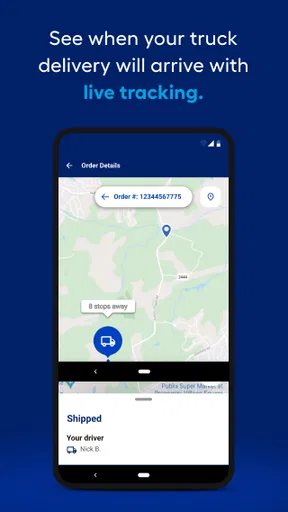
- Order tracking keeps users updated from purchase through delivery or pickup.
- Lists and saved items make it easier to organize future projects.
Limitations of Lowe's
- Some features may require location access to work properly.
- Inventory details can vary between stores and may change during the day.
- Large catalogs can make finding a specific product time-consuming.
- Delivery and pickup availability may differ by product and location.
- The app experience may feel less useful for users outside Lowe’s service areas.
Similar Picks in This Category
View All
SHEIN-Shopping Online
Roadget Business PTE. LTD.4.8

Amazon Shopping
Amazon Mobile LLC4.4


Mercado Libre: Compras online
Mercado Libre4.8

Wish: Shop and Save
Wish US Holdings LLC4.7

Alibaba.com - B2B marketplace
Alibaba Mobile4.4
Frequently Asked Questions
What is the Lowe’s app used for?
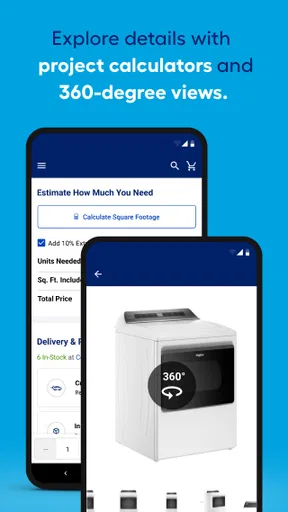
The Lowe’s app is designed to make shopping for home improvement products more convenient. You can browse tools, appliances, building materials, décor, and seasonal items, check product details and availability, compare options, save products, and place orders. It can also help you locate nearby stores, view order information, and manage certain pickup or delivery options from your mobile device.
Can I check whether an item is available at my local Lowe’s store?
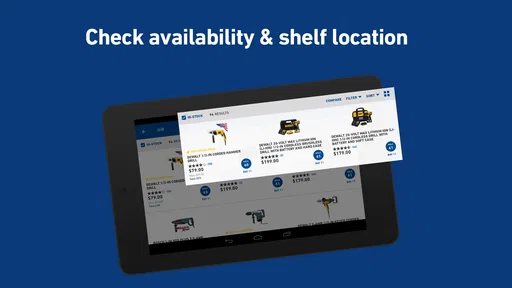
Yes. After selecting or searching for a product, the Lowe’s app can show availability based on your chosen store or location. Inventory information may include whether an item is in stock, available for pickup, or eligible for delivery. Store quantities can change quickly, however, so it is sensible to confirm the details before making a special trip or finalizing a time-sensitive project.
Does the Lowe’s app support in-store pickup and delivery?
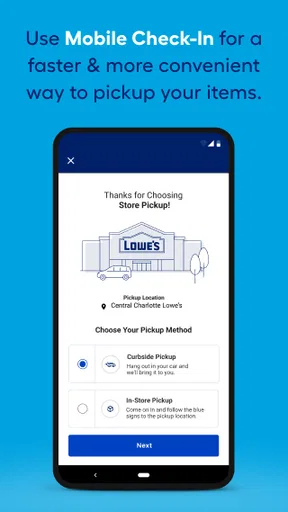
The app supports several fulfillment options, although availability depends on the product, your location, and current store policies. Eligible items may be ordered for store pickup, while others can be shipped or delivered locally. During checkout, the app normally displays the options available for your order, along with estimated timing, fees, and any applicable delivery requirements.
Can I manage Lowe’s orders and returns through the app?
The Lowe’s app provides access to important order information, including order status, purchase details, pickup instructions, and delivery updates when available. Depending on the order type and current Lowe’s policies, you may also find guidance for returns or exchanges. Some purchases, especially large appliances, installation services, or special orders, may require additional assistance from customer service or a store associate.
Is the Lowe’s app free, and what permissions does it require?
The Lowe’s app is generally free to download and use, although you still pay for products, delivery, installation, or other services you purchase through it. It may request permissions such as location access to identify nearby stores and improve availability results, as well as notifications for order updates. You can review and adjust these permissions in your Android or iOS settings.
